
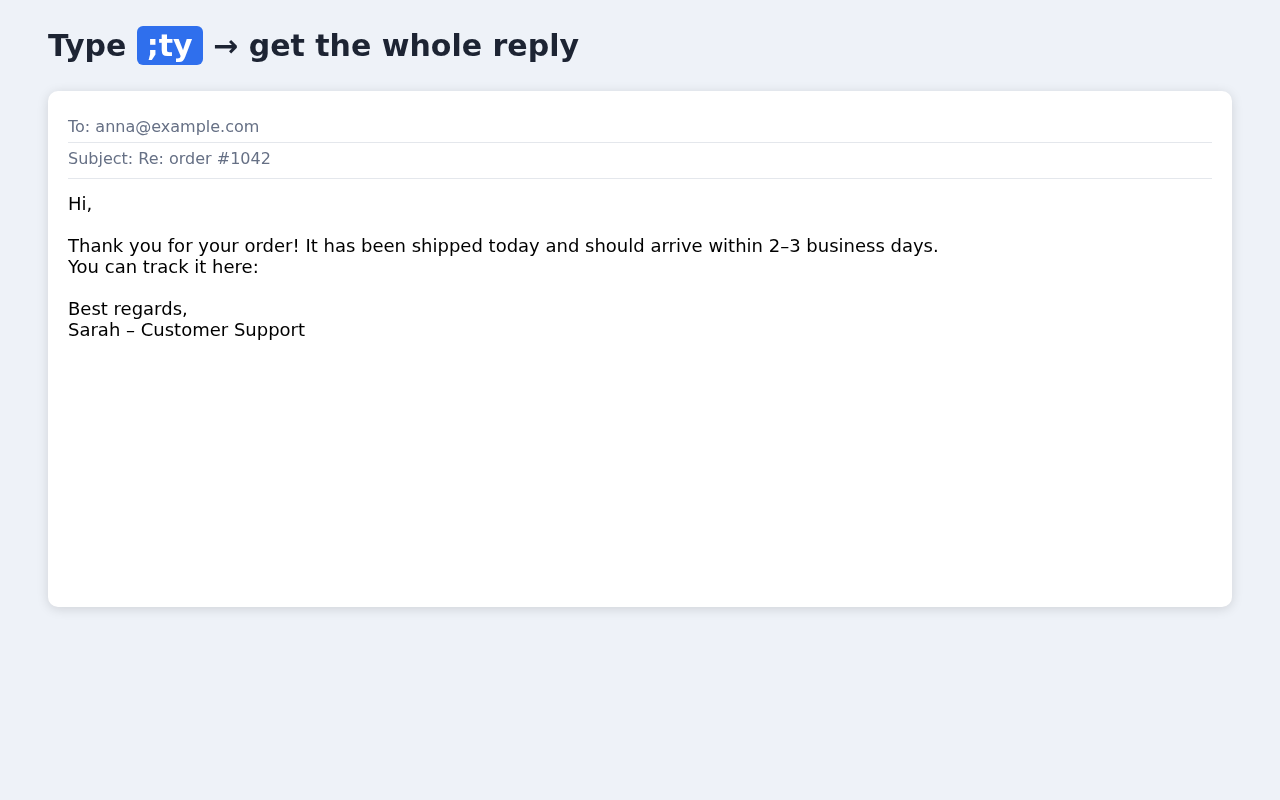
Type ;ty, get the whole reply
Keyfill is a free text expander for Firefox. Save the replies, addresses and signatures you type every day, then insert them with a short code. No account. Your snippets never leave your browser.
Add to FirefoxFree · no sign-up · works offline · Firefox 140+
Who it's for
Customer support
Answer common questions in your help desk or webmail with ;refund, ;shipping, ;thanks – same wording every time.
Sales
Follow-ups, meeting slots and pricing notes in your CRM or LinkedIn messages without copy-paste from a document.
HR and recruiting
Interview invitations, rejection letters and onboarding instructions that stay consistent.
Everyone who repeats text
Your address, IBAN, email signature, phone number, a Zoom link – type it once, then use ;addr forever.
How it works
- Install Keyfill from addons.mozilla.org. A page with three example snippets opens.
- Create a snippet: a shortcut such as
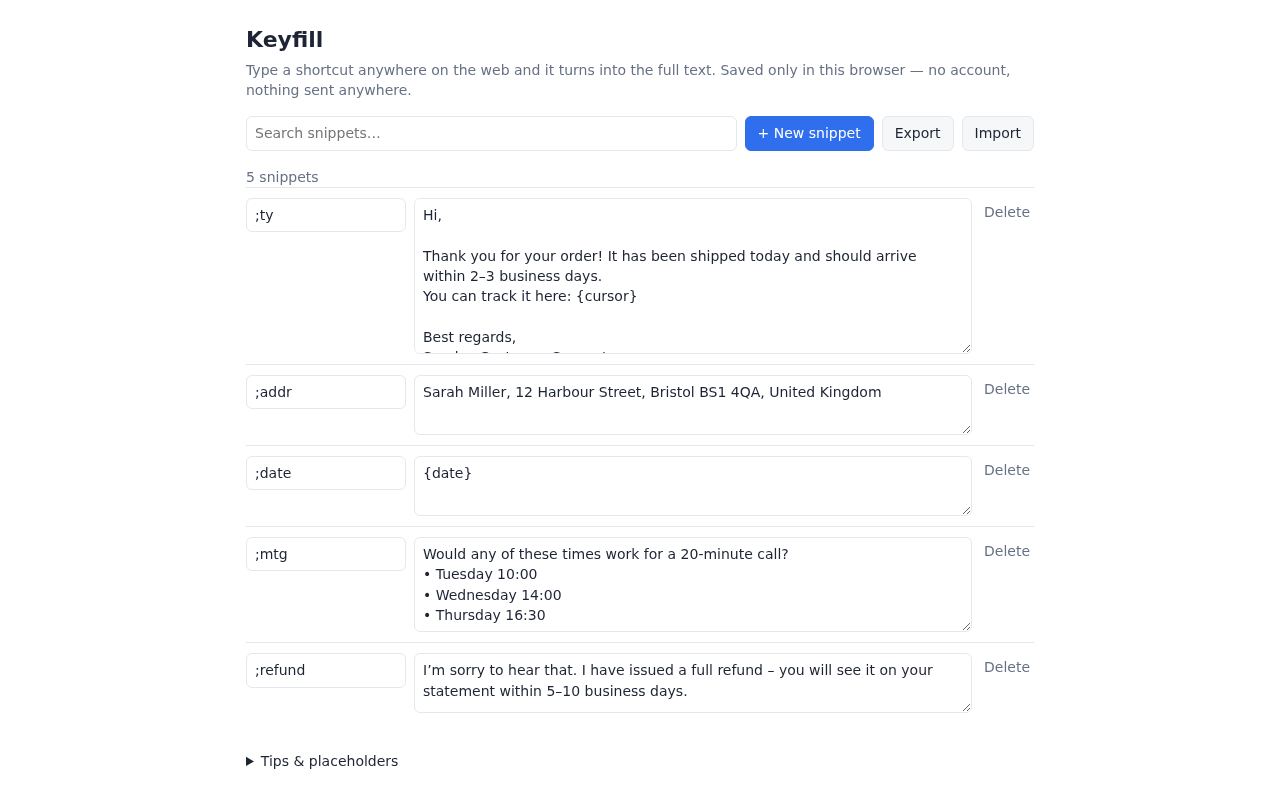
;addrand the full text. Use the toolbar button for a quick add, or the manager for everything else. - Type the shortcut in any text box. As soon as the last character is typed, it turns into the full text – no extra key needed.
Tip: start shortcuts with a symbol like ; so they never fire by accident.
Features
- Placeholders:
{date}today's date,{iso}date as 2026-10-04,{time}current time,{cursor}where the cursor lands after expanding. - Multi-line snippets in plain inputs, text areas and rich text editors (tested with Quill, ProseMirror and Lexical).
- CSV import (shortcut, text) – most text expanders can export to CSV. JSON export for backup.
- Search through your snippets; duplicate shortcuts are highlighted.
- Never expands in password fields.
Privacy
Keyfill has no account, no server and no analytics. Snippets are stored with Firefox's extension storage on your computer. The extension makes no network requests, so nothing you type is sent anywhere. Firefox shows the permission "Access your data for all websites" because Keyfill must see the text right before your cursor to detect a shortcut – that is all it reads. Full text: privacy policy.
What Keyfill doesn't do
Being honest saves you time:
- No sync between devices. Snippets live in one Firefox profile. To move them, use Export (JSON) and Import on the other computer.
- No team features. No shared folders, admin roles or usage reports.
- No forms, dropdowns, if/then rules or AI. Placeholders are limited to
{date},{iso},{time}and{cursor}. - Not in Google Docs (it uses a custom editor) and never in password fields.
- Firefox only for now.
If you need team sharing or cross-device sync, a cloud-based tool may suit you better – see our comparisons with Text Blaze and Magical.
FAQ
Is Keyfill free?
Yes. You install it from addons.mozilla.org and use it without paying, signing up or entering an email.
Do I need an account?
No. There is no account, login or sign-up. Snippets are saved in your browser's extension storage.
Does Keyfill send my text anywhere?
No. The extension makes no network requests and has no analytics. It only looks at the text right before your cursor to check whether you just typed one of your shortcuts.
Why does it ask to access data on all websites?
To notice a shortcut it has to run in the text boxes you type in, on any site. That is the only use of this permission.
Does it work offline?
Yes. Everything happens inside Firefox on your computer, so expansion works without an internet connection (in pages that are open offline).
Can I move my snippets from another text expander?
Yes, if it can export to CSV. Import a CSV with two columns – shortcut, text. Comma, semicolon and tab separators are accepted. You can also export Keyfill snippets to JSON as a backup.
Where does it work?
In normal text inputs, text areas and rich text editors (we test with Quill, ProseMirror and Lexical) – webmail, help desks, CRMs, chat and web forms. It does not work in Google Docs, and it never expands in password fields.
Can I sync snippets between computers?
Not automatically. That is the price of not having an account or a server. Use Export on one computer and Import on the other.
Which Firefox versions are supported?
Firefox 140 or newer on desktop. addons.mozilla.org also lists Firefox for Android 142+ as compatible, but we have not tested Keyfill on Android yet.
How do I get help?
Email keyfill@convertpubfiles.com.
Free · no account · works offline